Found
  • Business Banking
    • Business banking Full-featured business banking with built-in financial tools
    • Pockets for cash management Sub-accounts for easy cash flow management
    • Online business checking Modern banking with premium rewards⁶
    • Flexible money movement Pay and get paid by bank transfer, check, payment apps, and more
    • Business debit cards Physical and virtual cards for you and your team
    • Automated bookkeeping Instant expense categorization
    • Built-in tax tools Tax forms, write-offs, and estimates
    • Real-time reporting P&L, income, and expense reports
    • Invoicing software Create & send custom invoices
    • Contractor management W-9 collection and 1099 payments
    • Team cards Control and track team spending
    • Accountant access Collaborate with your accountant
  • Pricing
  • Resources
    • Resource center In-depth guides and helpful tips
    • Switching to Found How to switch in 3 easy steps
    • Tutorials Step-by-step videos
    • Help center Answers to common questions
    • What’s new Recent releases and improvements
Sign in See a demo Get started
  • Business Banking
    • Business banking
    • Pockets for cash management
    • Online business checking
    • Flexible money movement
    • Business debit cards
  • Bookkeeping & Taxes
    • Automated bookkeeping
    • Built-in tax tools
    • Real-time reporting
    • Invoicing software
  • Teams
    • Contractor management
    • Team cards
    • Accountant access
  • Pricing
  • Resources
    • Resource center
    • Switching to Found
    • Tutorials
    • Help center
    • What’s new
Sign in See a demo Get started

New and Improved

We keep building ways to make your business run better. Here's what's new.

Product updates

  1. October 7, 2026

    Bookkeeping

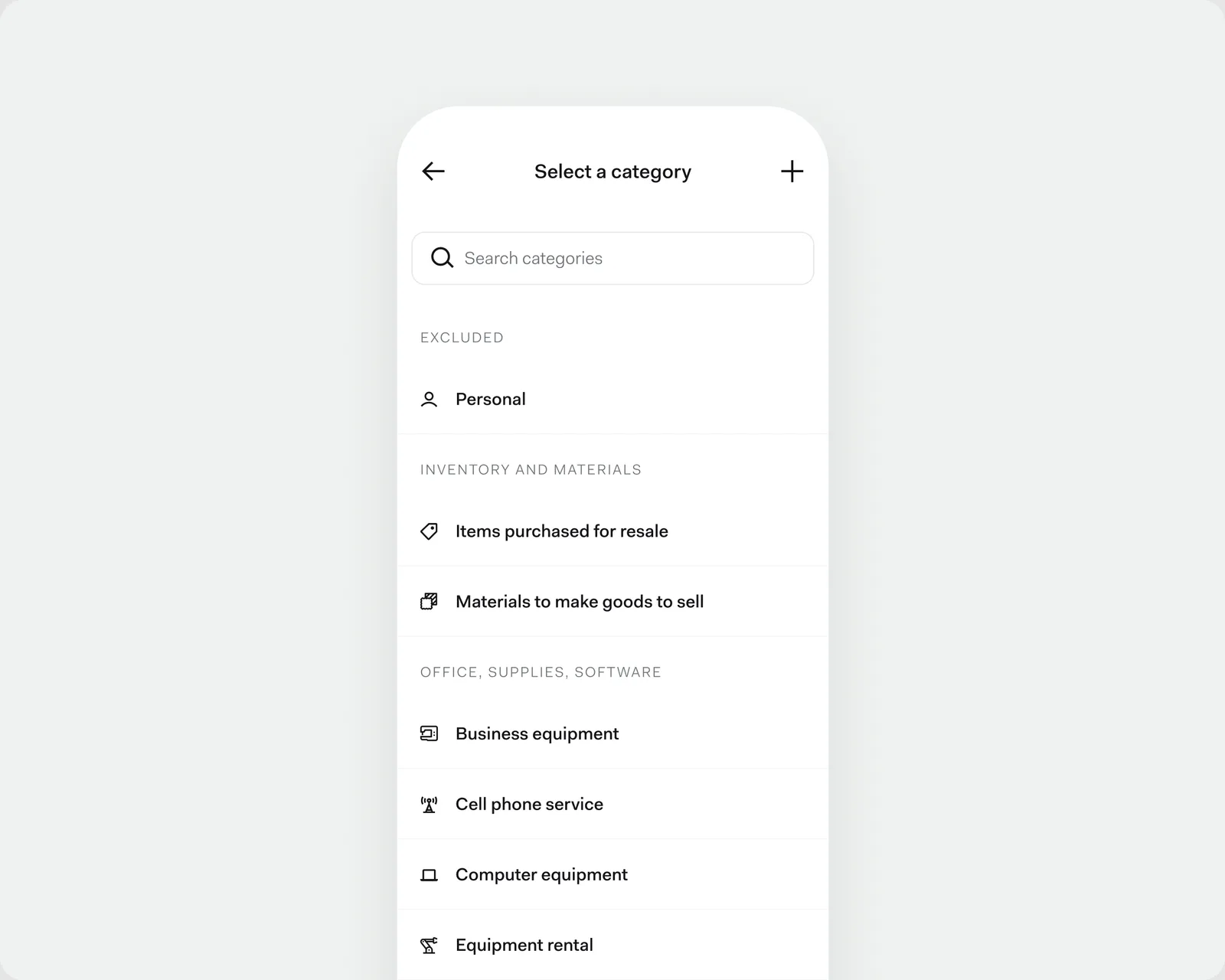
    A faster way to pick a category

    The new Select a category list on a phone: a search field above categories grouped under Excluded, Inventory and materials, and Office, supplies, software, each with its own icon.

    The category list has a new design, with a search field at the top and categories grouped under headings, each with its own icon. It's the same list whether you're categorizing activity, splitting a transaction, adding income or an expense, or browsing your chart of accounts.

    Refunds and reimbursements are quicker to categorize, too. Money coming in now opens on your full list of categories, so you can file a refund under the expense it came from. Its details then show which category it went to.

  2. October 7, 2026

    Bookkeeping

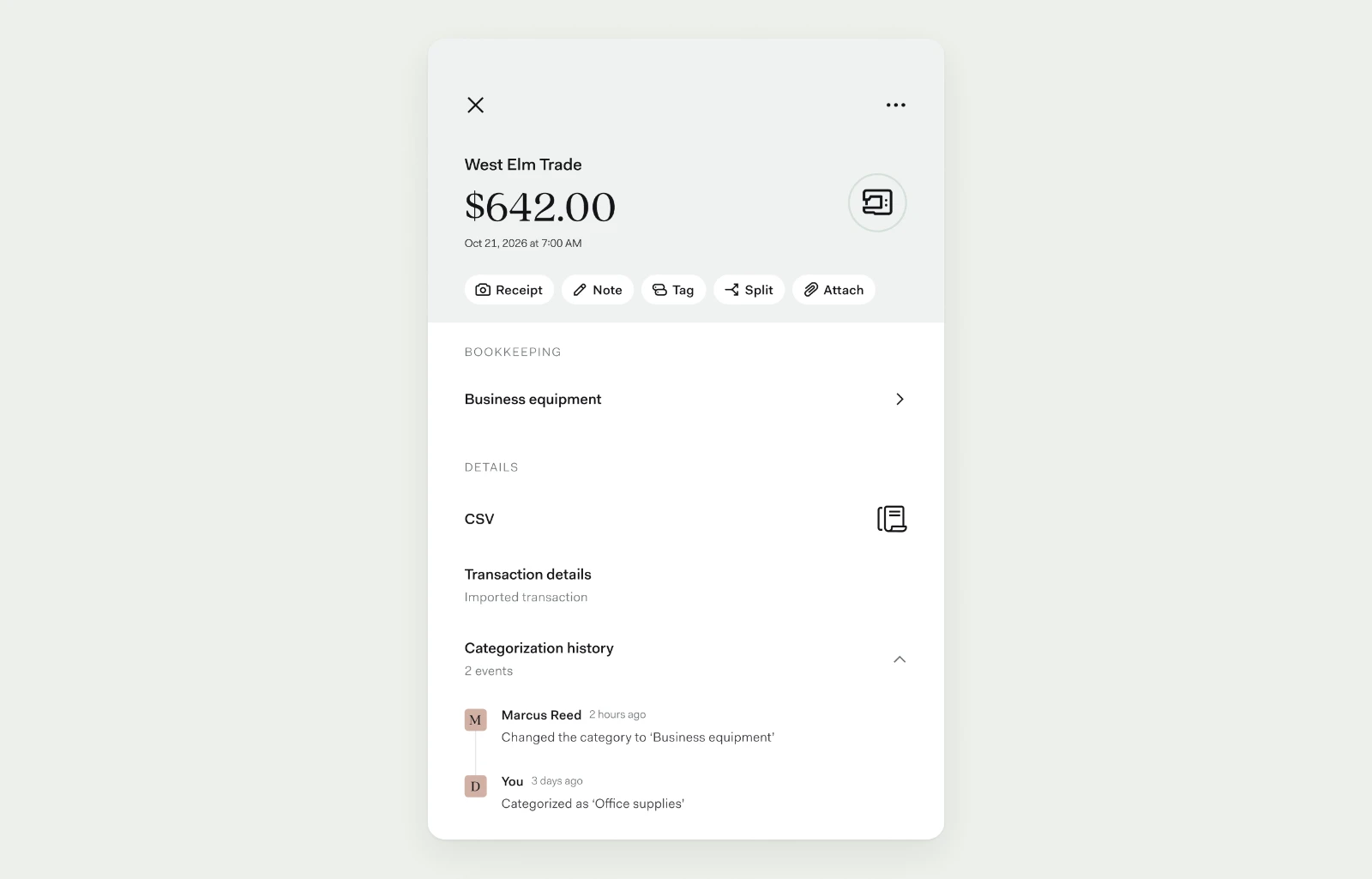
    Export your P&L as a CSV

    Your profit and loss report now exports as a CSV as well as a PDF. Download it on desktop or have it emailed to you on mobile, then open it in Excel or Google Sheets or send it straight to your accountant.

  3. September 29, 2026

    Found Assistant

    Share more than receipts with Found Assistant1

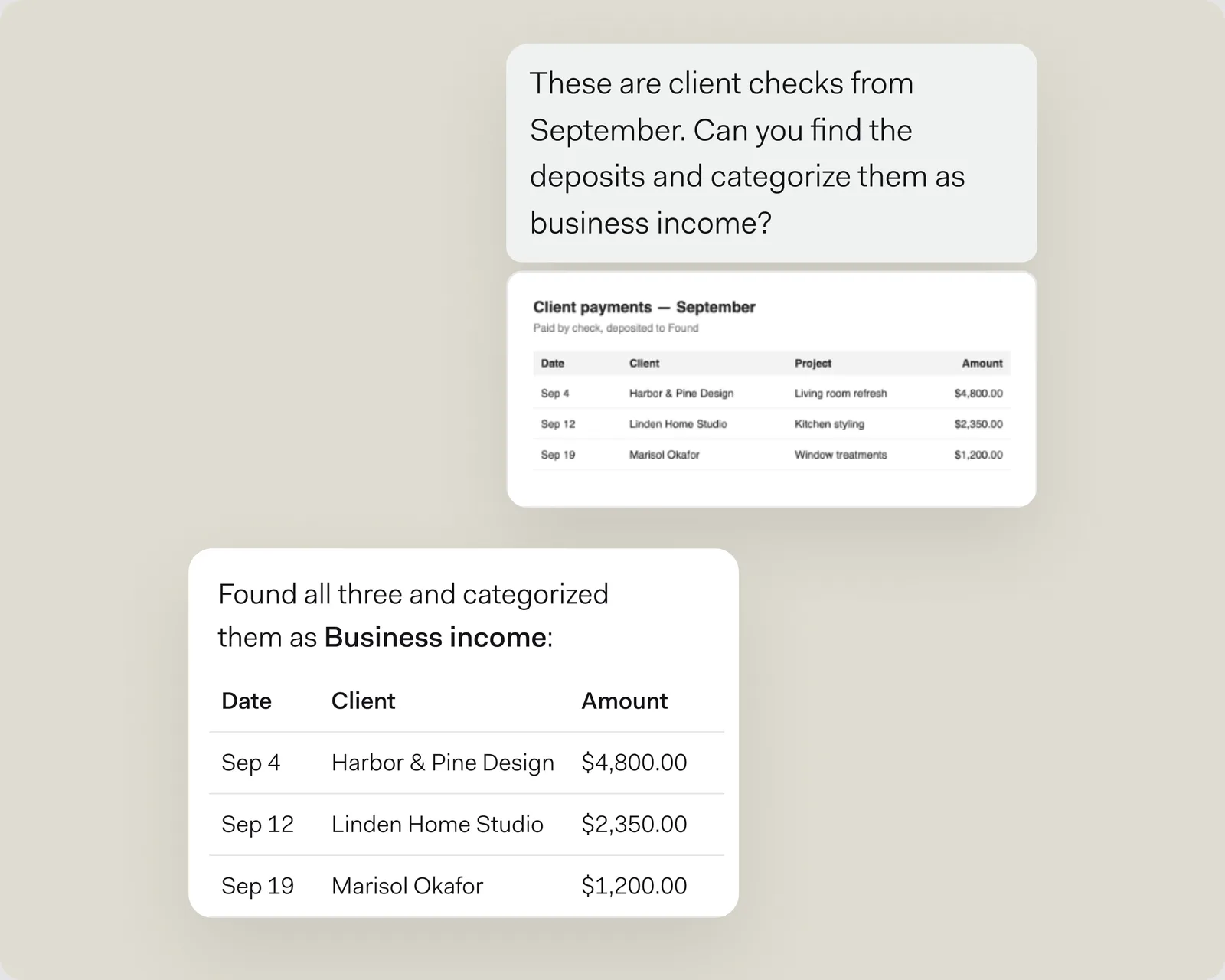
    A Found Assistant chat: the customer shares a table of three September client checks and asks Found Assistant to categorize the deposits, and it replies that it found all three and categorized them as business income.

    Now you can share screenshots, photos, and PDFs with Found Assistant.¹ Send a screenshot of client payments, and Found Assistant¹ can find the matching deposits in your activity and recategorize them for you.

    One file per message, for now.

    ¹Found does not provide legal or tax advice. Found Assistant is in beta and can make mistakes. Users are advised to consult with professionals for specific advice.

  4. September 25, 2026

    Bookkeeping

    Clearer category totals in your P&L

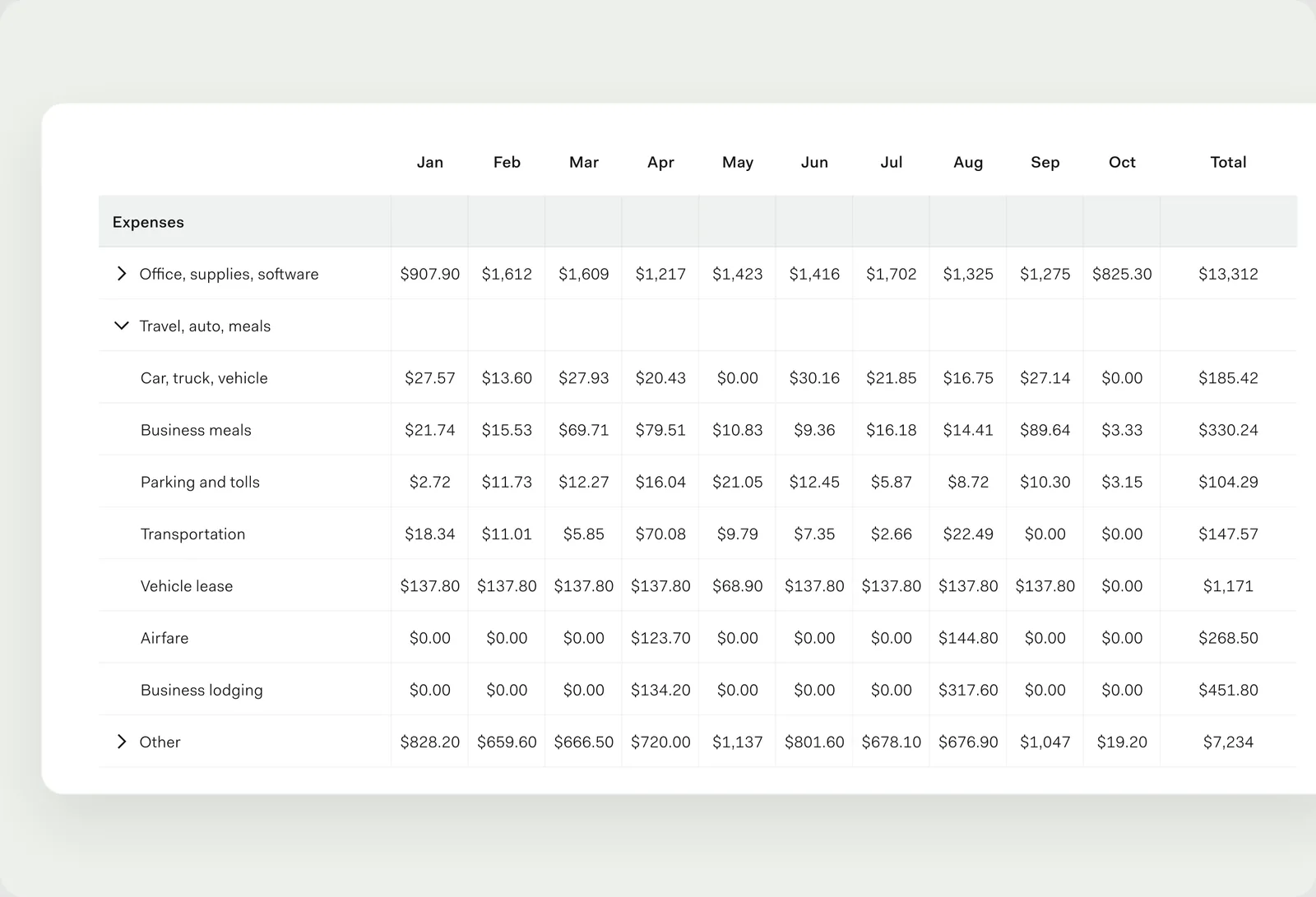
    The desktop P&L table with Travel, auto, meals expanded: the group row is blank and each category under it shows its own monthly amounts.

    When you expand a category in your desktop P&L, each row now shows only its own amount, so totals are easier to read. Collapse the group and you'll see the combined total. Click an amount to see the activity behind it.

  5. September 16, 2026

    Found Assistant

    Pick up where you left off with Found Assistant1

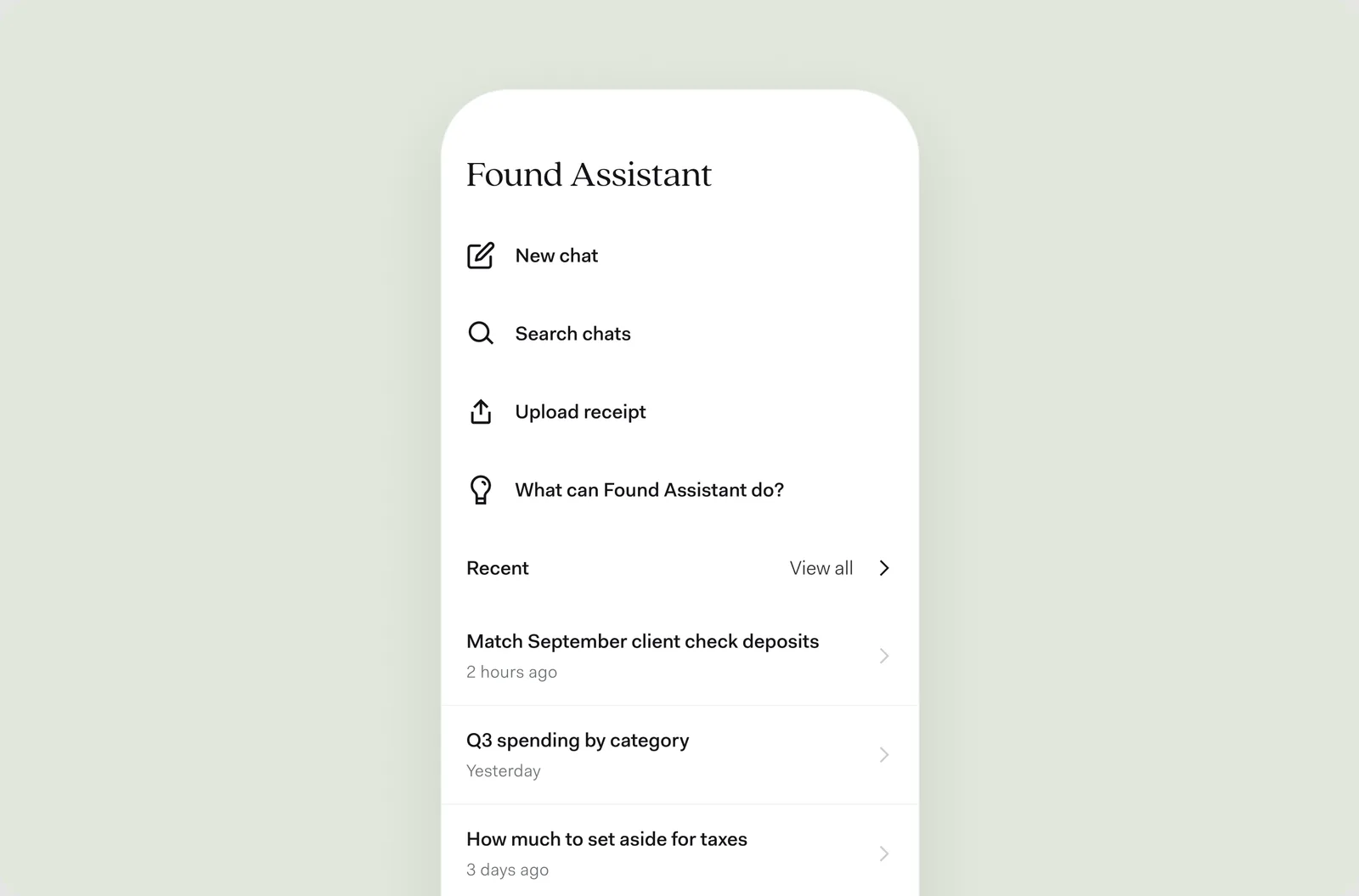
    The Found Assistant menu on a phone, with New chat, Search chats, Upload receipt, and a Recent list of past conversations.

    Your past conversations with Found Assistant¹ are now saved, so you can go back to them instead of starting a new thread each day. Rename a chat to find it later, or browse ideas for what to ask next.

    ¹Found does not provide legal or tax advice. Found Assistant is in beta and can make mistakes. Users are advised to consult with professionals for specific advice.

  6. September 15, 2026

    Improvements

    Connect Found to Claude2

    Found is now in Claude's² connector directory. Connect your account to ask Claude about your business finances. The connection is read-only, and what you share with Claude is subject to Anthropic's privacy policy.

    Find Found in Claude

    ²Responses from Claude are for informational purposes only and do not constitute financial, legal, or tax advice. Found is not liable for any actions taken or financial losses incurred based on AI-generated insights.

  7. September 14, 2026

    Bookkeeping

    Attach documents to more transactions

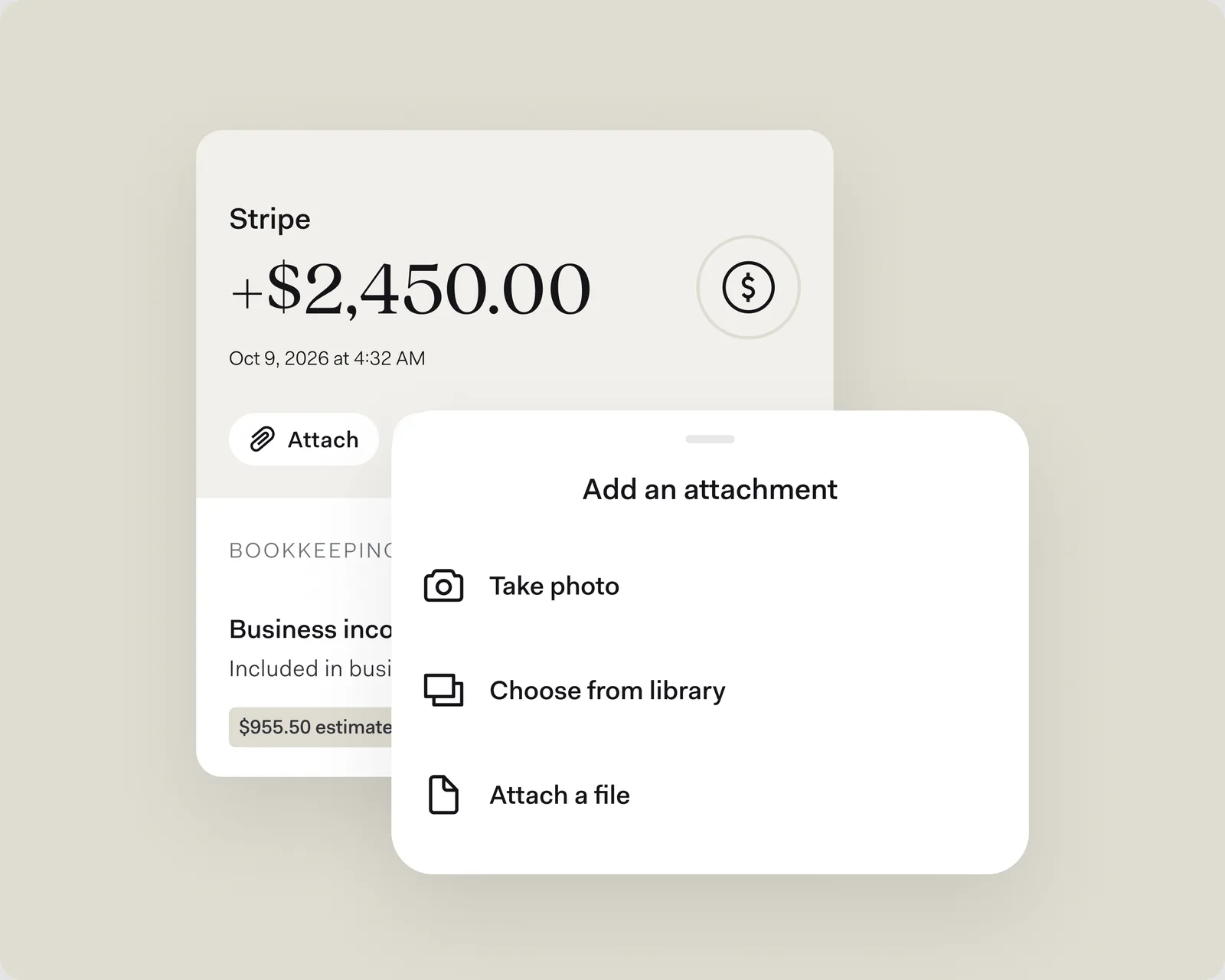
    A $2,450.00 Stripe income transaction with an Attach button, beside the Add an attachment sheet: take a photo, choose from your library, or attach a file.

    Receipts used to be for expenses only. Now you can attach up to five documents or photos to income and other activity, too—an invoice, a contract, a photo of the job. Tap Attach on the activity to add them.

  8. September 10, 2026

    Invoicing

    Attach a PDF to invoice emails

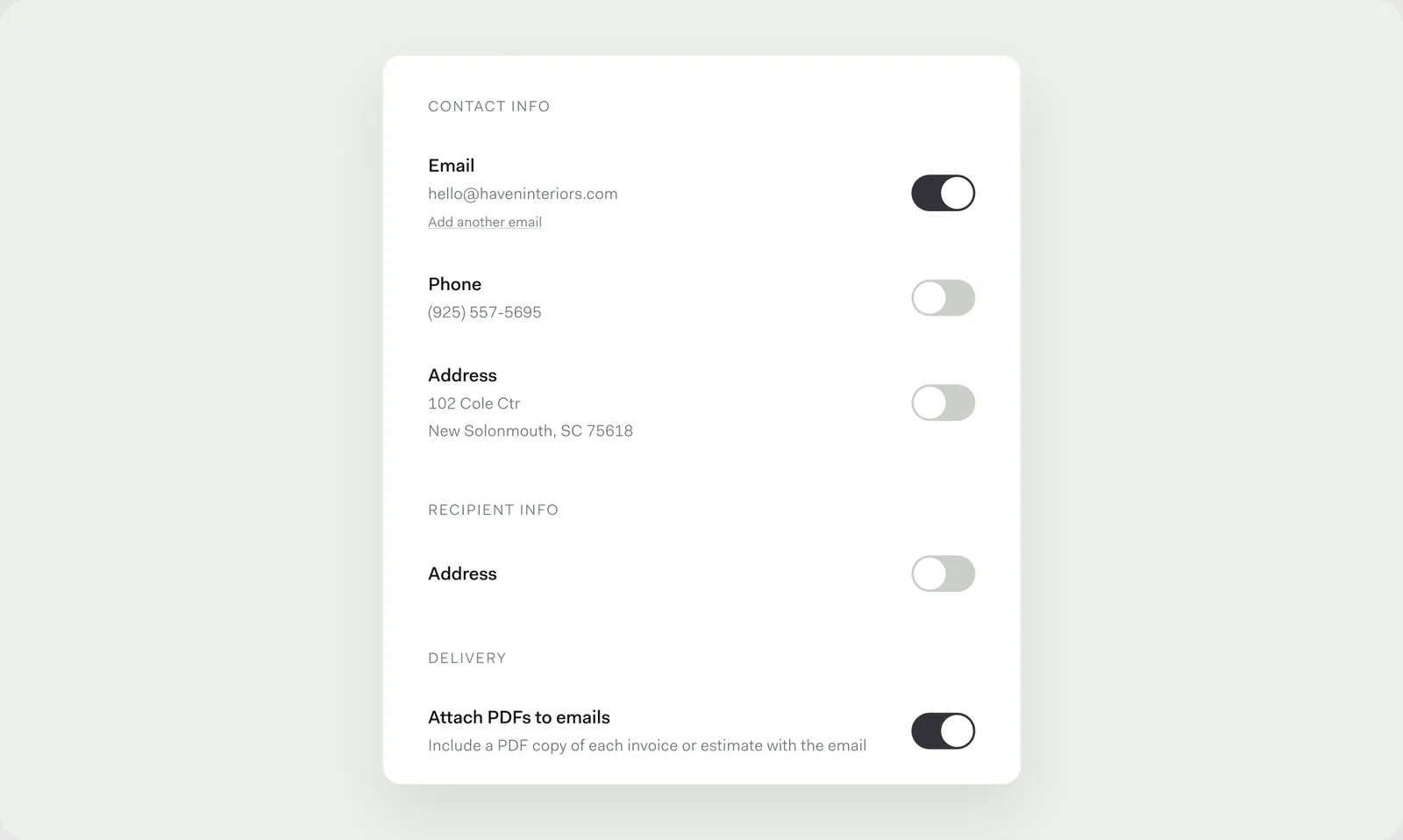
    Invoice settings with the new Delivery section and the Attach PDFs to emails toggle switched on.

    Your clients can now get a PDF of each invoice or estimate attached to the email you send, so they have a copy to save or forward. Turn on Attach PDFs to emails in your invoice settings, under Customize.

    And when a client pays one invoice in several payments, you can now link each payment back to that invoice to keep your books in order.

  9. August 31, 2026

    Bookkeeping

    Preview matches to rules3 as you edit them

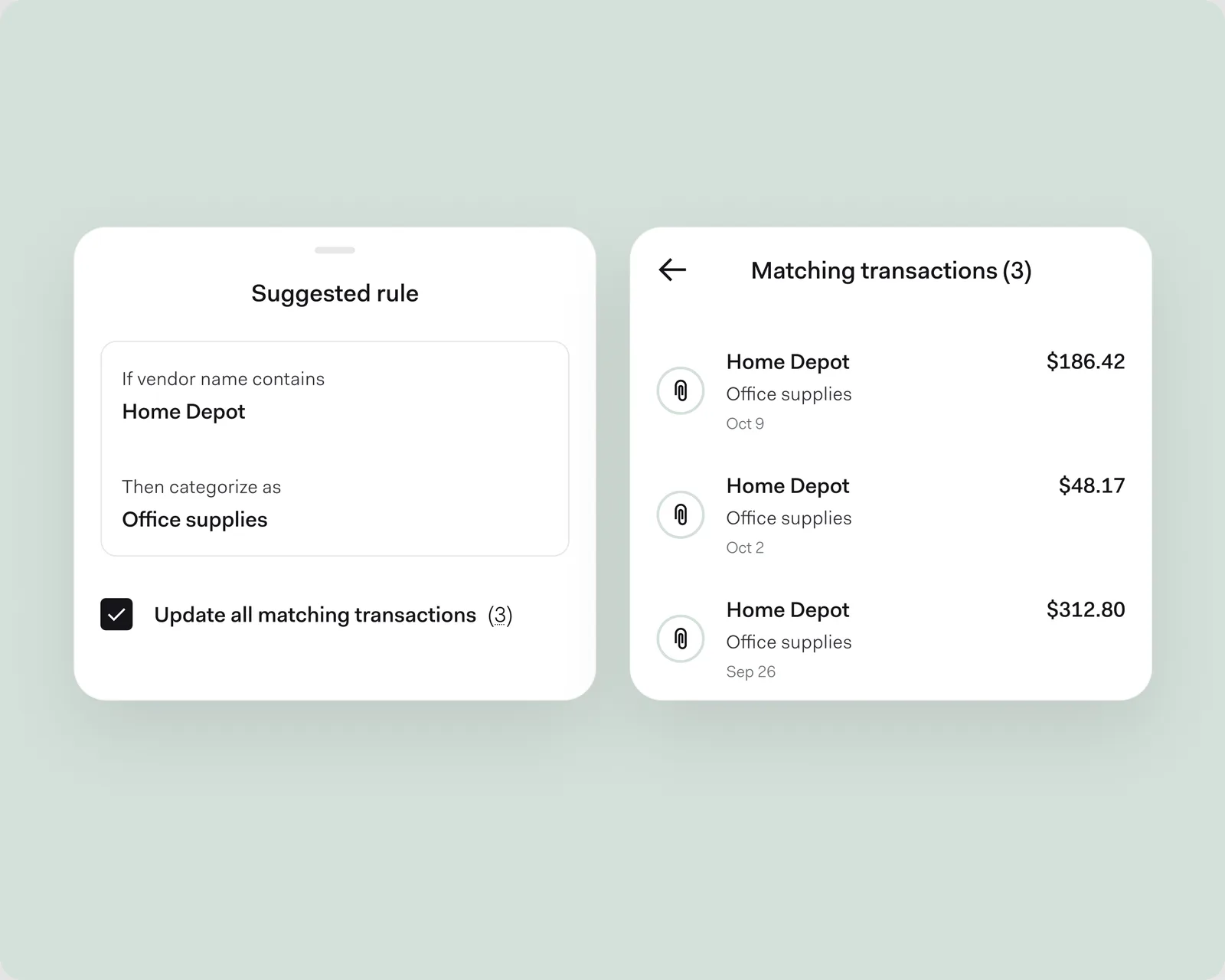
    A suggested rule to categorize purchases from Home Depot as office supplies, with Update all matching transactions checked, beside the three matching Home Depot transactions it would update.

    You can now edit the rules you've already made.³ And while you build a rule, you'll see the transactions it would match before you save it.

    ³Rules are available with Found Plus ($35/month or $315/year) and Found Pro ($80/month or $720/year).
  10. August 28, 2026

    Bookkeeping

    A redesigned P&L report

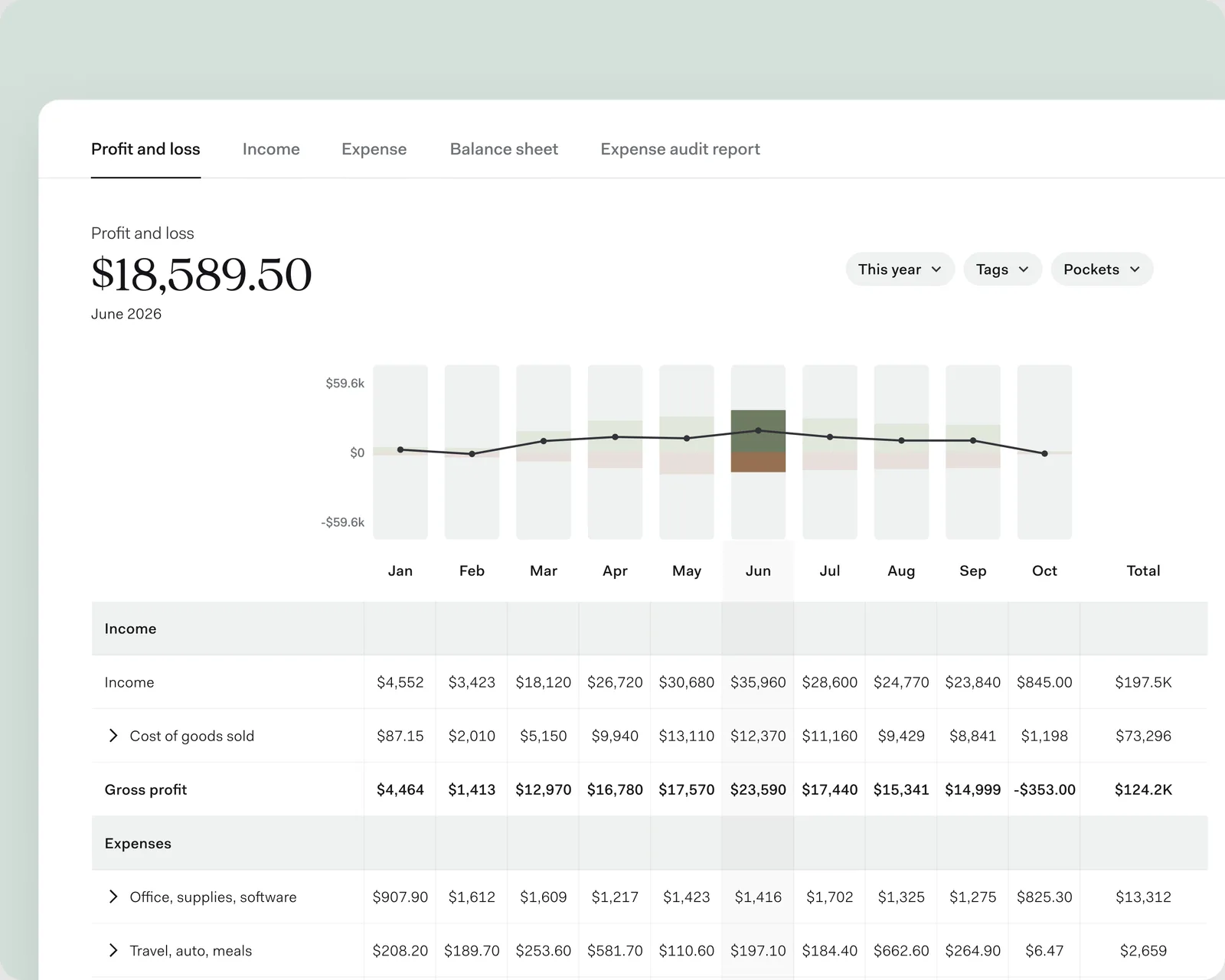
    The desktop profit and loss report with June selected: the June bar stands out in the chart, the June column is highlighted in the table below it, and the headline shows June's net profit.

    The desktop profit and loss report has a cleaner layout. The table lines up with the chart, the report tabs share the same layout, and selecting a month in the chart highlights its column in the table.

    Spot something that looks off? Recategorize it right from the report, without going back to your activity.

    Explore bookkeeping
  11. August 2026

    Improvements

    More in August

    Smaller updates that shipped this month.

    • Invite a teammate or order a team card by picking someone from your contacts instead of filling in a form.
    • Adding money from another bank account has a simpler, redesigned flow.
  12. July 29, 2026

    Banking

    Up to 18 custom Pockets

    You can now create up to 18 custom Pockets, up from eight—20 in total, counting your Primary and Taxes Pockets. Set money aside for payroll, a new truck, and next quarter's rent, each in its own place.

    How Pockets work
  13. July 21, 2026

    Bookkeeping

    Rules that categorize for you3

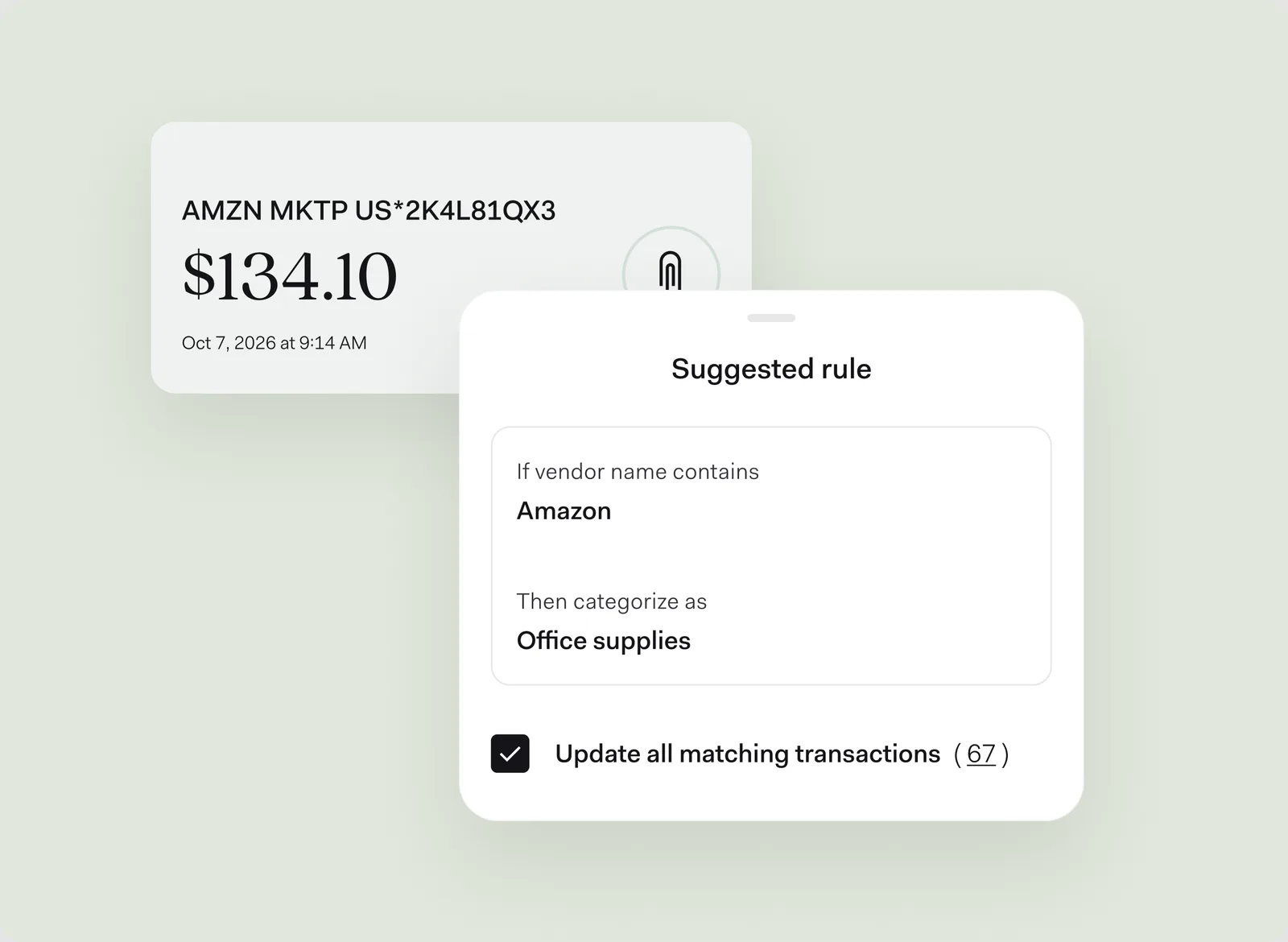
    The Suggested rule sheet in front of a $134.10 Amazon purchase that shows up under a long coded bank description: if the vendor name contains Amazon, categorize it as office supplies, with Update all matching transactions checked for 67 transactions.

    The new rules³ experience categorizes, tags, or marks transactions as personal for you. Categorize a transaction, and Found suggests a rule with a clean vendor name—"Amazon," not the "AMZN MKTP US…" code your bank shows—so one rule matches your other Amazon purchases, too.³

    Rules³ can also match on amount, card, Pocket, or where the transaction came from. When more than one rule fits, the most specific one wins. You can review and change any categorization a rule³ makes.

    Explore automated bookkeeping

    ³Rules are available with Found Plus ($35/month or $315/year) and Found Pro ($80/month or $720/year).
  14. July 20, 2026

    Banking

    Send Instant Payments

    Send money to another bank account or pay someone within minutes, when their bank supports instant payments. Instant Payments cost 1.75% of the amount, with a $0.50 minimum and a $50 maximum, and daily limits apply. See the Found Fee Schedule.

  15. July 16, 2026

    Banking

    Receive international wires

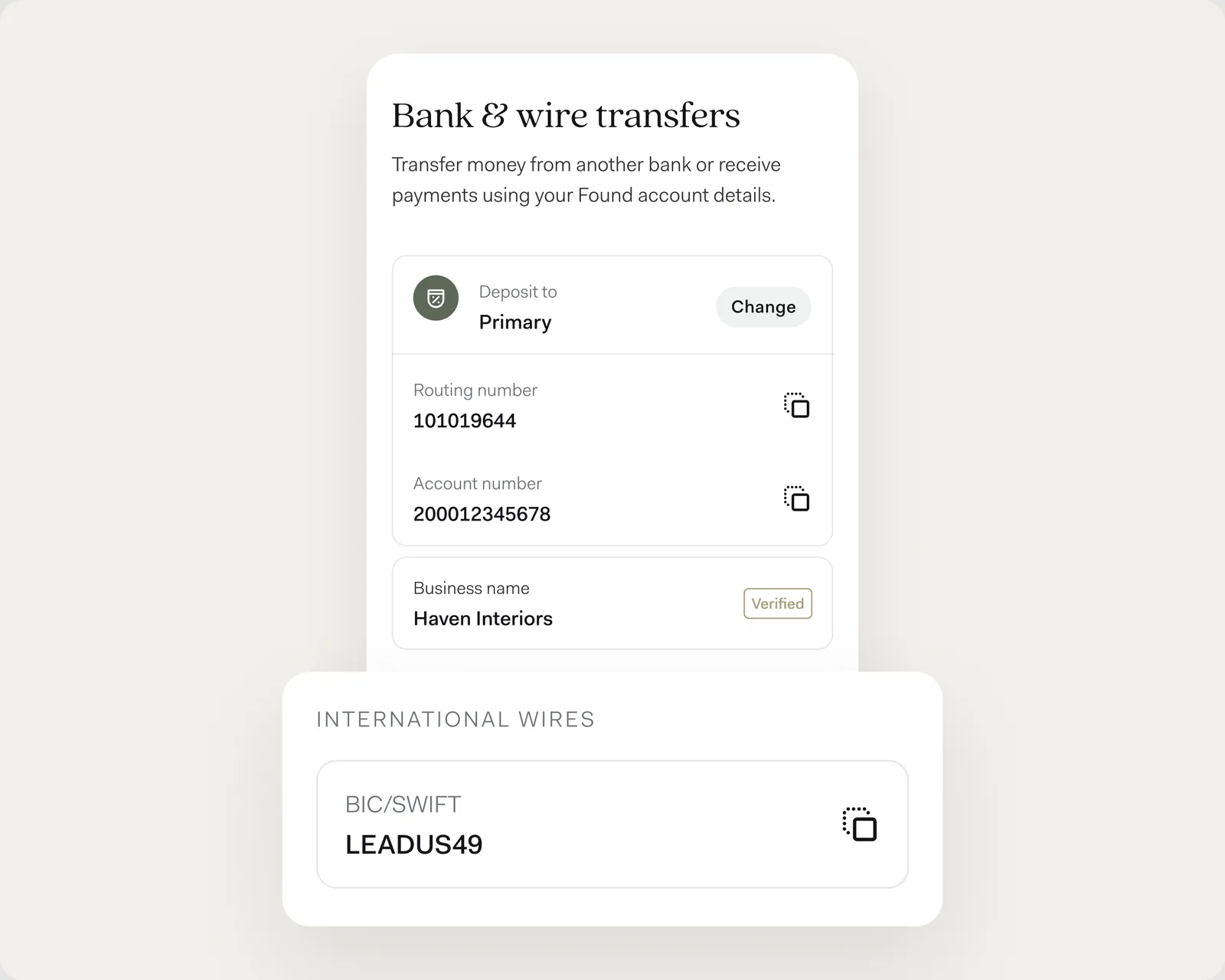
    The Bank and wire transfers screen with the account's routing and account numbers, and an International wires card showing Found's BIC/SWIFT code, LEADUS49.

    Clients abroad can now wire money straight to your Found account. They'll use your account and routing number, plus Found's SWIFT/BIC code, which you'll find with your wire details in the app, on your wire instructions PDF, and in your invoice payment instructions.

    Wires need to be sent in US dollars. Banks that handle the wire along the way may charge their own fees.

  16. July 7, 2026

    Invoicing

    Pay a Found invoice in a few taps

    When a Found business sends you an invoice, you can pay it with the full payment flow: pay now, schedule it, or choose which Pocket it comes from. Want to pay another way? More payment options is one tap away.

  17. July 6, 2026

    Banking

    Stop a mailed check yourself

    Changed your mind about a check you mailed? Stop it from your activity before it's cashed, without contacting support. The mailing fee can't be refunded, since the check has already been sent.

  18. June 30, 2026

    Found Assistant

    Ask Found Assistant with Siri

    Ask Found Assistant¹ questions out loud with Siri. Say "Ask Found Assistant," then your question. Siri reads the answer back, or opens Found to the right screen—try "Open my last transaction." Update to the latest iOS app to use it.

    ¹Found does not provide legal or tax advice. Found Assistant is in beta and can make mistakes. Users are advised to consult with professionals for specific advice.

  19. June 11, 2026

    Found Assistant

    Pay a bill by uploading it

    Upload a bill to Found Assistant¹ and it reads the payment details, adds the vendor to your contacts, and sets up the payment for you to review.

    ¹Found does not provide legal or tax advice. Found Assistant is in beta and can make mistakes. Users are advised to consult with professionals for specific advice.

  20. June 3, 2026

    Bookkeeping

    Reports for a custom date range

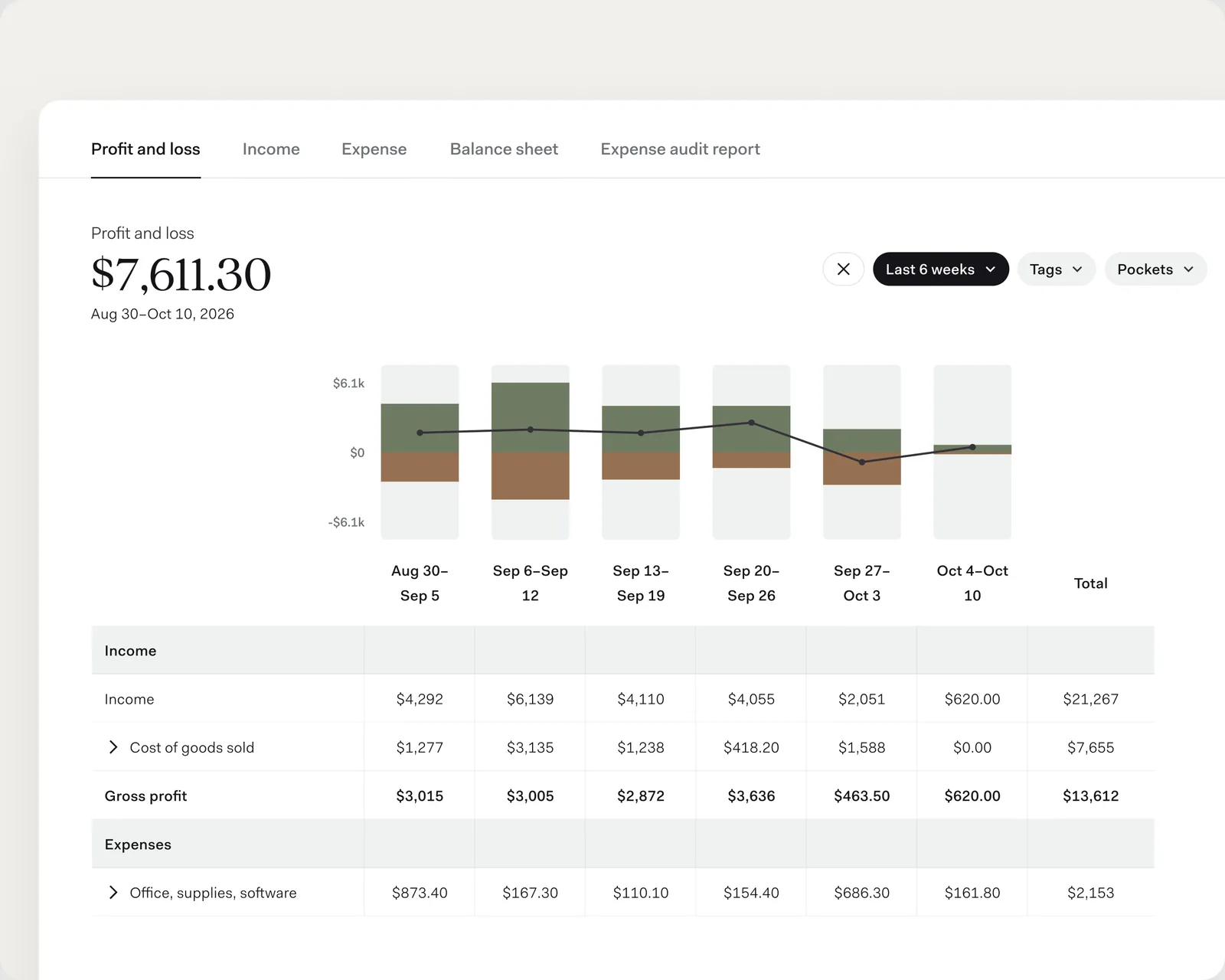
    The desktop P&L for the last six weeks, charted and tabled week by week from Aug 30 to Oct 10.

    View your P&L, income, and expense reports in the app for a custom date range of up to a year—not only in the PDF export. Ranges under eight weeks chart week by week; longer ones chart by month.

  21. June 2, 2026

    Taxes

    A clearer tax estimate

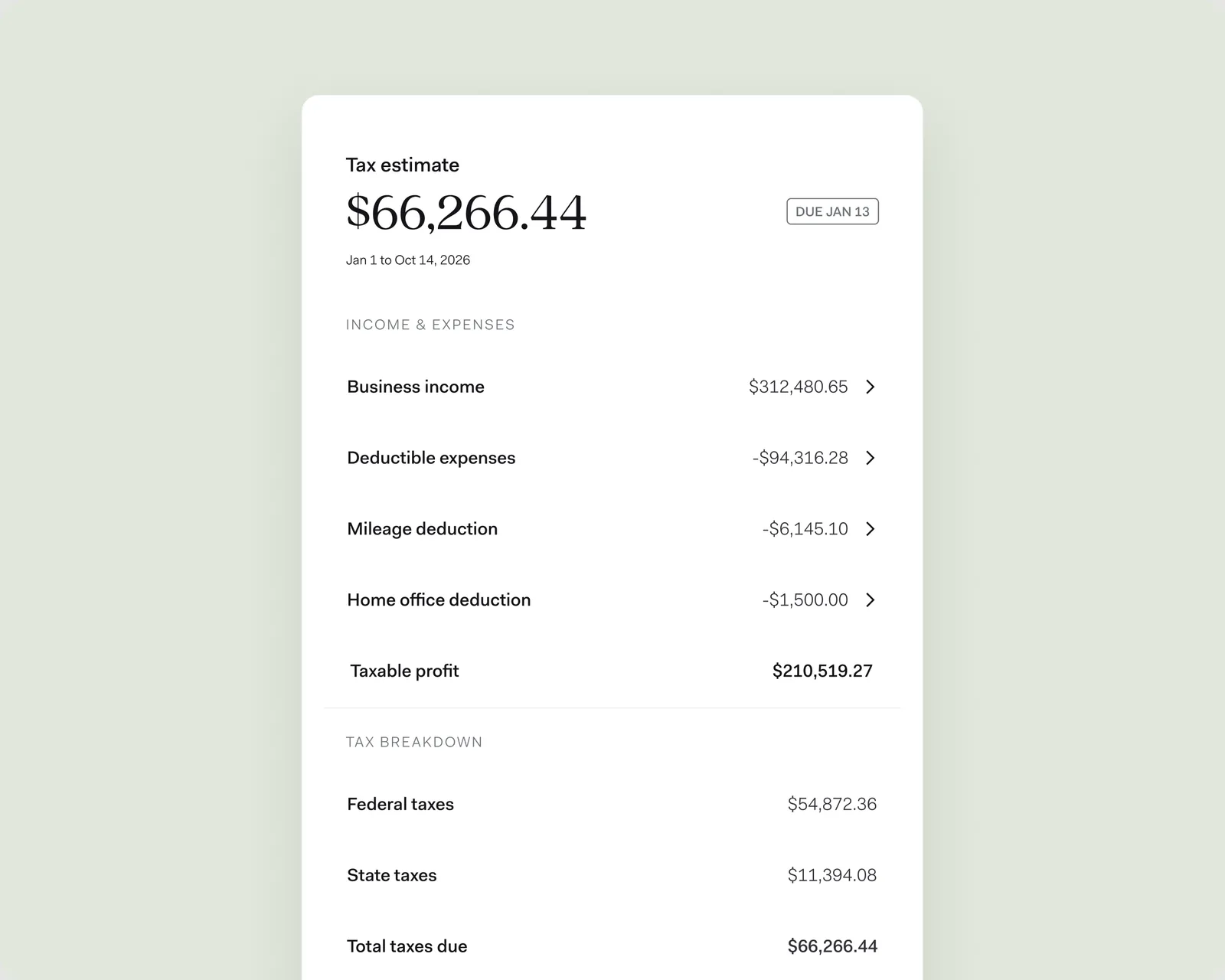
    The tax estimate panel listing business income, deductible expenses, mileage deduction, and home office deduction above the taxable profit, then a breakdown of federal and state taxes and the total due.

    Your tax estimate has a new design. It now shows your mileage and home office deductions, which were counted before but not shown, and you can open a number to see the activity behind it.

    Explore taxes
  22. May 20, 2026

    Cards

    Purchase details on card transactions

    Card transactions now show extra details merchants send after a purchase, like an Amazon order ID or the PO or job number you entered at the hardware store, so you can match expenses to the jobs they belong to.

  23. May 15, 2026

    Cards

    Invite cardholders by text

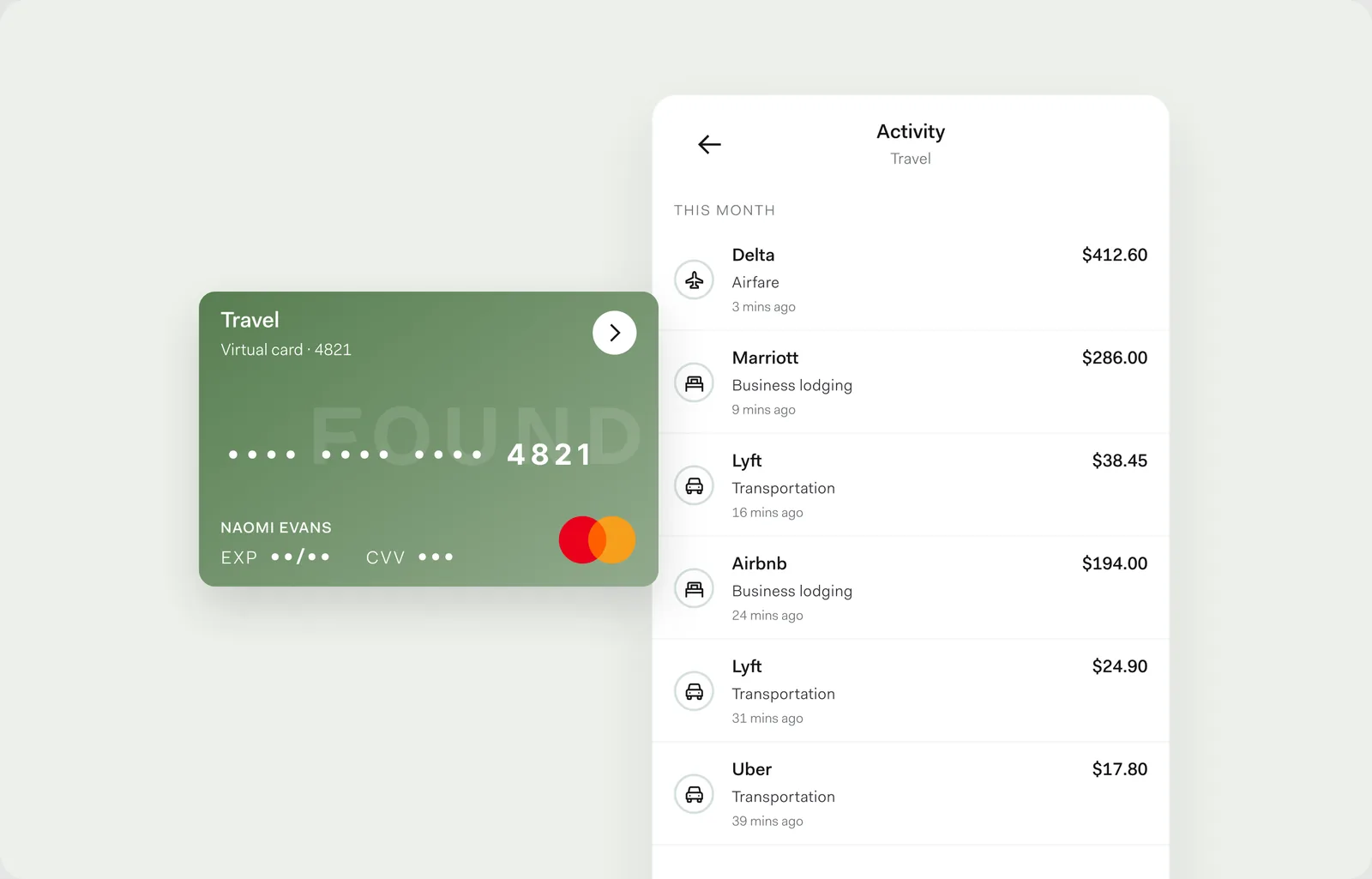
    Send a team card invite by text message. The preview shows your teammate their new card, in the color you ordered.

  24. May 13, 2026

    Improvements

    Connect Found to ChatGPT4

    Found is now an app in ChatGPT⁴. Connect your account to ask ChatGPT about your business finances.⁴ The connection is read-only, and what you share with ChatGPT is subject to OpenAI's privacy policy.

    ⁴Responses from ChatGPT are for informational purposes only and do not constitute financial, legal, or tax advice. Found is not liable for any actions taken or financial losses incurred based on AI-generated insights.

  25. May 4, 2026

    Banking

    Receive Instant Payments

    Money sent to you over instant payment rails now lands in your Found account within minutes, any time of day, when the sender's bank supports instant payments. There's nothing to set up, and Found doesn't charge a fee to receive them.

  26. May 1, 2026

    Taxes

    State tax payments that match themselves

    Record a state tax payment in Found, then pay it from your Found account, and Found matches the two for most state tax agencies.⁵ The payment is marked as a tax payment and the placeholder disappears.

    ⁵The information on this website is not intended to provide, and should not be relied on for, tax, legal, or accounting advice.

  27. May 1, 2026

    Improvements

    Get back into your account on your own

    Lost the phone or email you sign in with? Answer a few questions, verify your ID, and move your login to a new phone number or email in the app.

  28. April 16, 2026

    Contractor payments

    A payment dashboard for everyone you pay

    Anyone you pay through Found—even without a Found account—can open a dashboard from their payment link to see the payments you've sent them.

    Explore contractor payments
  29. April 15, 2026

    Invoicing

    Send invoices from your billing email

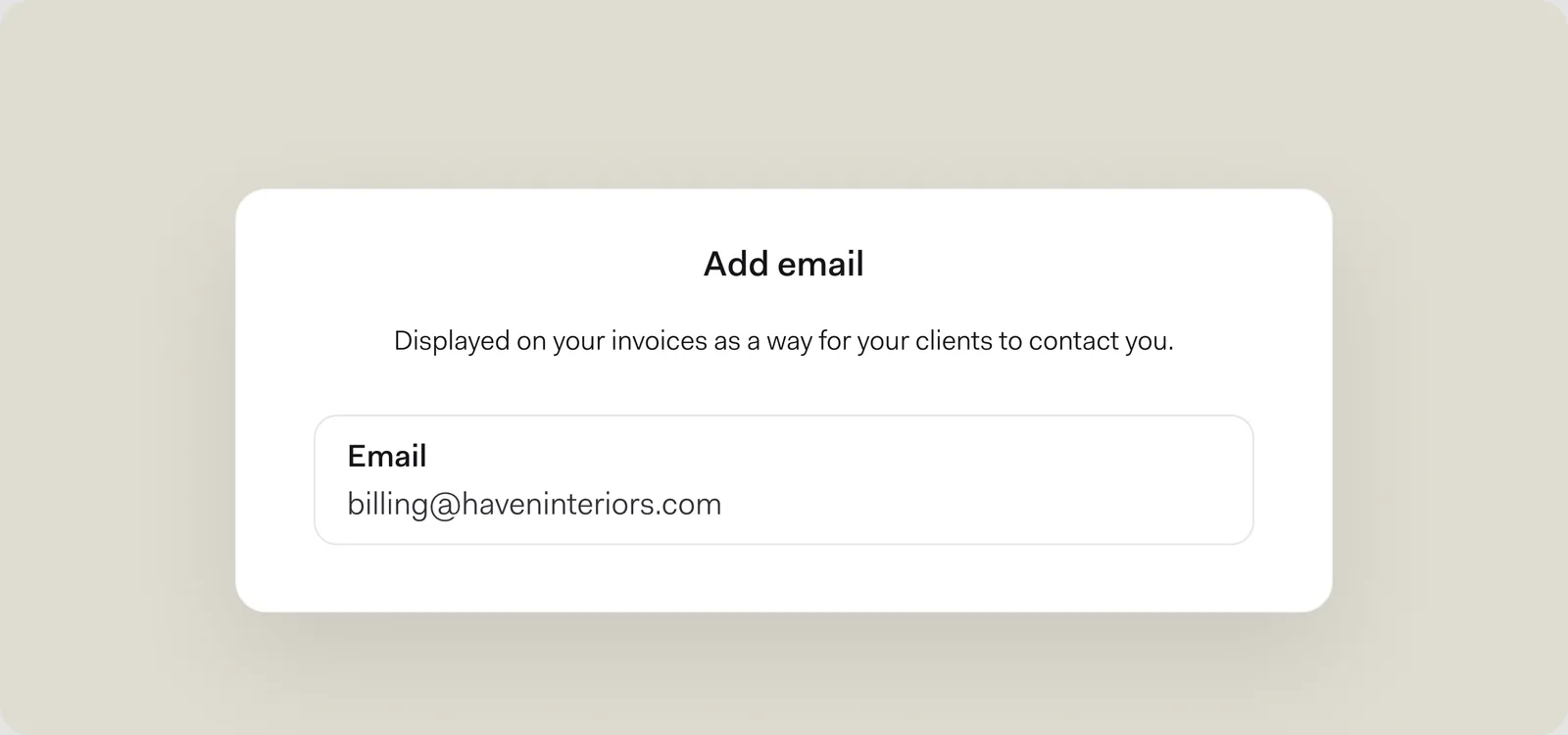
    The Add email panel in invoice settings, with a billing email address entered.

    Invoices can now come from an email address other than the one you sign in with, like billing@yourbusiness.com. Verify the address, and client replies go straight there.

    Invoices also show your client's business name more prominently when they have one.

    Explore invoicing
  30. April 10, 2026

    Banking

    Check deposits available sooner

    Mobile check deposits are now typically available at 1:00 pm PT on the third business day, instead of the fourth. Deposit a check on Monday, and it's typically available Thursday afternoon, unless the deposit needs review. Mobile check deposit is available to eligible accounts.

  31. April 2026

    Improvements

    More in April

    Smaller updates that shipped this month.

    • Online purchases in US dollars from merchants based abroad no longer count as international, so they go through without turning on international transactions.

Sign up in as little as 5 minutes.

  • Easy sign up
  • No credit check
  • No minimum balance
  • No maintenance fees
QR code to download the Found app

Scan to download the Found app.

Found is available on iOS, Android, and desktop.

One platform to manage
your business finances

Products

  • Banking
  • Bookkeeping
  • Taxes
  • Invoices

Features

  • Online Business Checking
  • Automated Bookkeeping
  • Real-Time Insights
  • Fast Transfers & Deposits
  • Contractor Management
  • Budget & Save with Pockets
  • For Accountants

Resources

  • Resource Hub
  • Help Center
  • Security
  • Switch to Found
  • What’s New

Company

  • Team
  • Careers
  • Partnerships
  • Press
  • Legal

Have Questions?

Email our support team:
help@found.com

Follow Us

Found is a financial technology company, not a bank. Banking services are provided by Lead Bank, Member FDIC. The funds in your account are FDIC-insured up to $250,000 per depositor for each account ownership category. FDIC insurance only covers the failure of an FDIC-insured depository institution.

The Found Mastercard Business debit card is issued by Lead Bank pursuant to a license from Mastercard Inc. and may be used everywhere Mastercard debit cards are accepted.

Found partners with various providers to enable you to compare offers from participating institutions, such as lending, filing service, and insurance providers. Found is not a lender, a filing service, nor an insurance provider.

This website contains advertisement of Found and third party products and services.

¹Found does not provide legal or tax advice. Found Assistant is in beta and can make mistakes. Users are advised to consult with professionals for specific advice.

²Responses from Claude are for informational purposes only and do not constitute financial, legal, or tax advice. Found is not liable for any actions taken or financial losses incurred based on AI-generated insights.

³Rules are available with Found Plus ($35/month or $315/year) and Found Pro ($80/month or $720/year).
⁴Responses from ChatGPT are for informational purposes only and do not constitute financial, legal, or tax advice. Found is not liable for any actions taken or financial losses incurred based on AI-generated insights.

⁵The information on this website is not intended to provide, and should not be relied on for, tax, legal, or accounting advice.

⁶Cash Back Terms and Conditions apply.

Terms of Service ・ Privacy Policy ・ Accessibility statement ・ © 2026 Found

Found is a financial technology company, not a bank. Banking services are provided by Lead Bank, Member FDIC.