
How do I view my Profit and Loss (P&L) report?
Your Profit & Loss report gives you a clear picture of your business’s financial health by showing what you’ve earned and what you’ve spent over a specific time period.
What is a P&L report?
A P&L report (also called a Profit & Loss statement) breaks down your business profitability. It shows your total income, lists your expenses by category, and calculates your net profit or loss. This report helps you understand where your money is coming from and where it’s going—so you can make informed decisions about your business.
How is it calculated?
Your P&L report is calculated using all the income and expenses you’ve tracked in Found:
- Income: All deposits and payments you’ve received
- Expenses: All business purchases, categorized by type (like office supplies, meals, contractor services, etc.)
For the most accurate P&L report, make sure all of your historical transactions are in Found.
This includes:
- Transactions made with your Found debit card (which are automatically tracked)
- Manual entries for cash purchases or expenses from other accounts
- Transactions imported from external banks and credit cards if you’re a Found Plus¹ or Pro¹ subscriber
The more complete your transaction history, the more accurate your financial picture.
Where to find your P&L report
On mobile:
- Tap the bar chart icon on home screen
- Tap Business reports
- Tap Profit & Loss
- Select ‘This year’ dropdown to select your desired time frame
On desktop:
- Go to the Reports section
- Select Profit & Loss
- Select ‘This year’ dropdown to select your desired time frame
You can also filter by certain Tags and Pockets if you’d like to track profitability by client, project, or some other more granular part of your business.
View transaction details (desktop only)
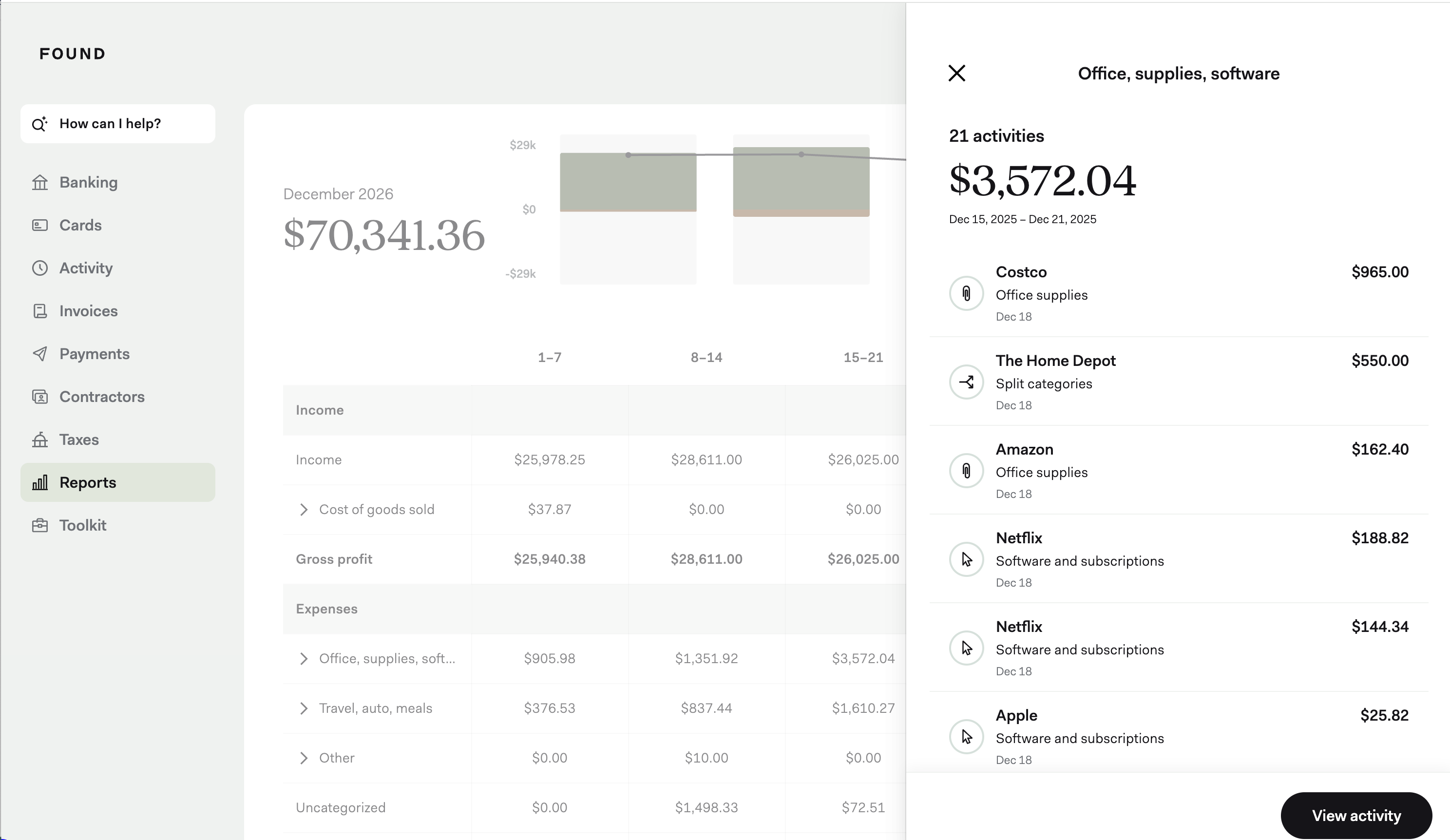
On desktop, you can click into any line item in your P&L report to see all the transactions behind it. This makes it easy to review specific expenses or verify the details of your income and spending in each category.
Exporting your P&L
You can export your P&L report as a PDF to share with your accountant or save for your records. If you’ve granted accountant access to your Found account, they can also view and download your P&L reports directly.